Almost every integration I’ve worked on started the same way: one system needed data from another, and the quickest path was a direct API call. It works, it ships in a sprint, and for a while it’s the right answer.

Each integration is reasonable on its own. Together they become something nobody can draw.
Then the estate grows. A second system wants the same data, then a third. A provider goes down for patching, and users on the other side get errors they don’t understand. As an organisation scales, the same pressures show up every time:
- Reliability requirements tighten. “Usually works” stops being acceptable once the business depends on it.
- Consumers multiply. The data one system needed is suddenly needed by five.
- Processes get longer. Work that spans people, approvals and external parties can’t fit inside an HTTP timeout.
- Operational concerns surface. Someone has to monitor this, recover it at 2am, and explain it to an auditor.
The usual response is to reach for technology: an integration platform, a gateway, a broker, an event streaming product. Organisations spend months on product evaluations and comparatively little time on the question that matters more: how should these systems talk to each other?
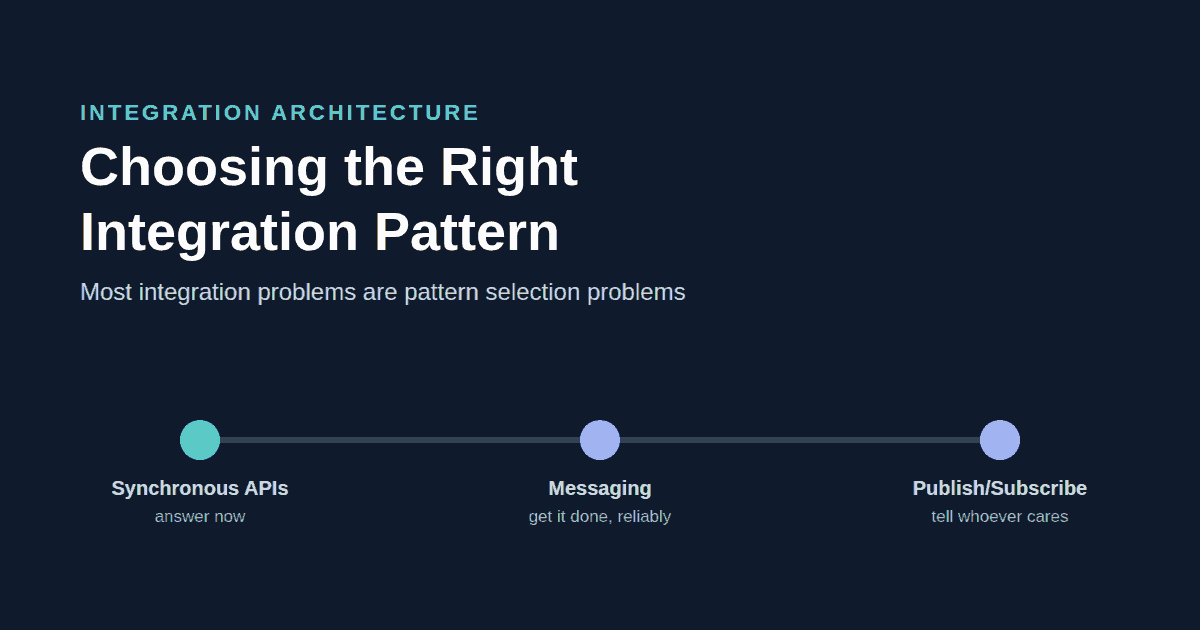
I’ve come to believe that most integration problems are not technology problems. They are pattern selection problems. This post covers the four patterns I see most often (synchronous request/response, asynchronous messaging, publish/subscribe and bulk transfer): where each fits, what it costs, and what tends to go wrong.
Pattern 1 – Synchronous Request/Response

Each hop must be up at the same moment, so the chain is weaker than any single service.
A consumer asks a question and waits for the answer. It’s the pattern every engineer learns first, and for good reason: one request, one response, one code path, and when something goes wrong the caller knows straight away. It’s also tightly coupled. The consumer depends on the provider being available, fast and returning a shape it understands, right now, every time.
Good examples are a service desk agent looking up a caller, a web page rendering price and availability, an app loading the signed-in user’s profile, or a form validating an address before it’s submitted. In each case someone is waiting, and the answer is only useful now.
Benefits
- Simple architecture. No queues, no brokers, no extra infrastructure to run.
- Easy debugging. A single request can be traced end to end, and errors come back to the caller with context.
- Predictable behaviour. The caller knows whether it worked.
Challenges
- Shared availability. If the provider is down, the consumer is down. Three services at 99.5% each give you about 98.5%, which is more than five days of downtime a year.
- Timeouts. Too short, and you fail requests that would have succeeded. Too long, and threads pile up until one slow system takes down everything that calls it.
- Coupling. Change the provider’s location, contract or behaviour and the consumer has to change too.
- No buffer. A burst at the consumer becomes a burst at the provider.
When it’s the right choice: when the caller needs the answer to continue, the provider is reliable enough to give it, and the volume is interactive rather than bulk. I treat synchronous as the default, not the naive option. Every other pattern adds real operational cost, and that cost should be a deliberate choice.
Pattern 2 – Asynchronous Messaging

The queue absorbs outages and bursts. The dead-letter queue is where quiet failures go.
Synchronous request/response says “do this now”. Messaging says “please do this eventually”.
The consumer puts a message on a queue and moves on. A worker picks it up and processes it against the provider. If the provider is down, the message waits. If processing fails, it’s retried, and if it keeps failing it moves to a dead-letter queue where a person can look at it. Check what your platform actually gives you here. Azure Service Bus has a real dead-letter queue. Azure Storage Queues don’t, and it’s the Azure Functions trigger that moves failing messages to a separate poison queue.
Good examples are tickets raised by monitoring alerts, notifications that must be sent but needn’t block the user, and long-running work such as provisioning or approvals. None of them need to finish in two seconds, but all of them need to finish.
Benefits
- Reliability. Work survives provider outages, deployments and restarts.
- Back-pressure. A burst of a thousand requests is absorbed by the queue and processed at a rate the provider can handle.
- Reduced coupling. The consumer only needs the queue to be up, and each side can be released and scaled independently.
Challenges
- Monitoring. Synchronous failures are loud; asynchronous failures are quiet. In my experience the most important alert on any messaging platform is “dead-letter queue depth is greater than zero”, and the most common gap is that nobody owns it.
- Operational complexity. You now run a broker, workers, dead-letter queues and replay tooling, and someone needs to know how to safely replay a thousand failed messages after an outage.
- Eventual consistency. “I created it, but I can’t see it” is usually a messaging question disguised as a data problem.
Duplicates Are Normal, So Idempotency Matters
Most messaging systems guarantee at-least-once delivery. If a worker commits a change and then crashes before acknowledging the message, the broker delivers it again and the work happens twice. Under load and during deployments, that’s routine. Making processing idempotent, so that handling a message twice has the same effect as handling it once, means:
- Giving every message a stable identifier, set by the sender.
- Checking whether it’s been processed before the side effect, not after.
- Preferring operations that are safe to repeat. “Set status to Closed” is; “add one to the counter” isn’t.
Teams that skip this end up with a system that reliably delivers the wrong outcome.
When it’s the right choice: when there’s one known handler for the work, but the provider is unreliable, the load needs smoothing or the caller has no reason to wait. In design reviews I ask, “Why is this async?” A good answer is about reliability or duration.
Pattern 3 – Publish/Subscribe

The producer publishes once. Adding a subscriber doesn’t change the producer.
Messaging and publish/subscribe are often lumped together, but they solve different problems. A message on a queue is an instruction to one known handler. An event is a fact about something that happened, published to whoever is interested.
That’s the idea behind domain events such as Customer created, Order completed or Employee onboarded: past tense, about one thing, owned by one system. “Employee onboarded” might matter to identity, payroll, facilities and asset tracking. With synchronous APIs, the HR system would call all four and handle each one failing. With publish/subscribe, it publishes one event. When a fifth system needs to know, it subscribes, and the HR system doesn’t change at all. That’s the foundation of event-driven architecture.
Benefits
- Loose coupling. Producers and consumers share only the event contract.
- Scalability. Adding consumers doesn’t add load to the producer.
- Extensibility. New capabilities can be built on events that already exist.
Challenges
- Event governance. Without it you end up with
CustomerUpdated,CustomerChangedandCustomerModified, all in production. An event catalogue with named owners is needed before the first event, not the thirtieth. - Schema management. An event schema is a contract with consumers you may not even know about. Versioning rules need deciding up front.
- Observability. “Did the event reach everyone who needed it?” is much harder to answer than “did the call succeed?”.
- Ownership. The producer owns the event’s meaning; each subscriber owns its own failures.
Publish/subscribe also inherits everything that’s hard about messaging, so every subscriber needs to be idempotent and cope with events arriving late or out of order.
When it’s the right choice: when a change matters to an unknown or growing number of consumers, and they can tolerate eventual consistency. If there’s exactly one consumer, it’s probably a message, not an event.
Pattern 4 – Bulk Transfer
The first three patterns move one request, message or event at a time. Bulk transfer moves a whole set at once: a scheduled file, a bulk API call that takes a full dataset, or an extract, transform and load (ETL) job.
Good examples are a nightly load of customers into a reporting store, a payment file sent to a bank, or a one-off migration of half a million records. Nobody is waiting on any single record, but the whole set has to arrive intact.
Benefits
- Throughput. Large volumes move in one run instead of thousands of calls.
- Predictable load. The work happens in a window you choose, not whenever users are busy.
- Simple contract. A file or dataset format is easy to agree, test and archive.
Challenges
- Restartability. A job that fails at record 40,000 of 50,000 should resume from there, not start again or load the first 40,000 twice.
- Reconciliation. “The job succeeded” and “every record arrived” are different claims, so compare counts and totals at both ends on every run.
- Partial failure. Decide up front whether one bad record stops the run or goes to an exceptions file that someone reviews.
- Staleness. The data is only as fresh as the last run.
When it’s the right choice: when the volume is large, the data isn’t time-critical, and the receiver can wait for the next run. If people need each change within minutes, use messaging or events, with a one-off bulk load to seed the starting data.
The Common Mistakes
The mistakes I’m asked to look at most often come down to the wrong pattern, or the right pattern without the operational work to support it.
Using synchronous APIs for everything. The warning signs are long call chains where one slow service slows everything, retry logic copied into every consumer, and integrations that fail whenever a provider is patched.
Using events when a simple API would do. I’ve seen a single consumer reading a single provider’s data built with a broker, a schema registry and a consumer framework, when a well-designed read endpoint would have done the job.
Building point-to-point webs. Twenty systems talking directly to each other can mean close to two hundred connections. The fix is noticing when the same information is moved again and again, and publishing it once instead.
Forgetting operational requirements. Before go-live I want to know: how will we know it failed, who gets told, and how do we replay what was missed? An alert with no owner is just a log line with extra steps.
A Decision Framework
Most decisions come down to a handful of requirements, and each one points towards a pattern:
| Requirement | Preferred pattern |
|---|---|
| Immediate response needed | Synchronous request/response |
| Strong consistency at the point of use | Synchronous request/response |
| Long-running work | Asynchronous messaging |
| Reliability across provider outages | Asynchronous messaging |
| Smoothing bursts of load | Asynchronous messaging |
| Multiple or unknown consumers | Publish/subscribe |
| Adding consumers without changing the producer | Publish/subscribe |
| Large volumes that aren’t time-critical | Bulk or batch job |
As a decision tree, it’s five questions asked in order. Stop at the first one that matches:

Work down the questions. The first one that matches is your answer.
Real integrations often combine patterns. A common shape, and the one I started building in my Azure APIM post, is a synchronous API that validates a request and returns 202 Accepted, a queue that carries the work, and an event published when it completes: three patterns in one flow, each doing the job it’s best at.
The point of a framework like this isn’t to remove judgement. It’s to make judgement visible. Architects should choose patterns based on requirements, not organisational preference or whichever platform was bought most recently. Departing from the framework is fine, as long as the team writes down why.
Thinking in Patterns Instead of Integrations
The question most projects start with is:
“How do I integrate these two systems?”
It produces a bespoke answer every time: a new contract, new error handling, new monitoring and a new runbook. The better question is:
“Which communication pattern best fits this requirement?”
That question only has four answers, and each can be built well once: a standard API template, a standard messaging approach with dead-letter handling and replay built in, an event catalogue with a shared subscriber library, and a standard bulk job with reconciliation built in. A new integration then becomes a choice of pattern followed by configuration. Teams inherit reliability instead of having to remember it, and support staff learn four patterns instead of fifty integrations. This is the point where integration stops being a series of projects and becomes a platform.
Choose Deliberately, Then Write It Down
Architecture is often presented as technology selection: which gateway, which broker, which cloud. Integrations rarely succeed or fail there. They succeed or fail on pattern selection, and on whether the team understood what that choice would cost to run.
The real skill is understanding the trade-offs:
- Request/response gives you simplicity and immediacy, and costs you coupling and shared availability.
- Messaging gives you reliability and resilience, and costs you eventual consistency, operational effort and the discipline of idempotency.
- Events give you extensibility and loose coupling at scale, and cost you governance, schema discipline and harder observability.
- Bulk transfer gives you throughput for large volumes, and costs you freshness and the work of reconciling every run.
The goal is not to standardise on a single integration pattern. The goal is to understand when each pattern is the right tool for the job, and to write down why you chose it.
A Worked Example
Here’s a short, made-up example: sending new-hire details from an HR system to payroll. Payroll’s API goes offline during nightly processing and monthly patching. Only payroll needs the data today, but two more systems will want it next year.
- Options. A synchronous call when HR saves, a queue, or a published “Employee onboarded” event.
- Decision. A queue with retries and a dead-letter queue, because the write must land even when payroll is down.
- Why not an event yet? Event governance for one consumer costs more than it returns. The message is shaped like the future event, so switching later changes the transport, not the contract.
- Owner. Payroll support owns the dead-letter queue and is alerted when it isn’t empty.
- Revisit when a second system needs the data.
Five lines, and the next person who asks why this isn’t an event already has the answer.
Leave a Reply